


The button looks simple, but it’s really two pieces working together: a rounded button CTA and a mini icon, tied together with a hover animation. You can build it inside the Divi 5 editor in WordPress.
In WordPress, open the page, drop in a Button, and turn it into a round-icon, then add two classes and a tiny CSS hover rotate.
Yep. That simple.

Steps to create the button
1. Build the structure
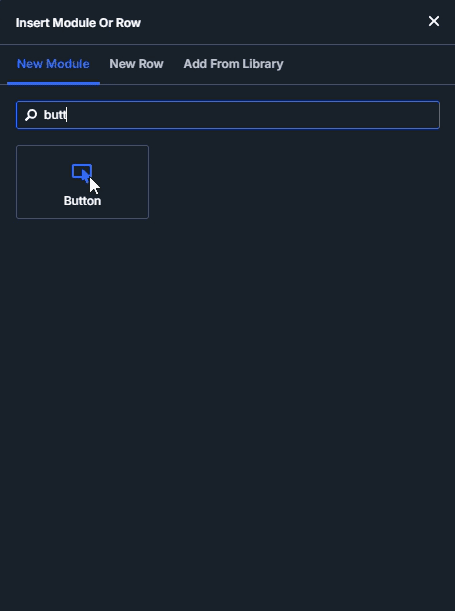
Add a Section → add a Row → add a Column → add a Button.
Then inside the Button, add a Row → add a Column (this inner column is where the arrow icon goes.)
This works clearly in Divi 5 because its layout elements are containers that can be nested, with the added Row within Row functionality – a feature that was not available in Divi 4.
2. Style it
On the main Button: set typography + enable custom button styles + set background + radius + padding. This will make it look like a rounded CTA.
On the nested Row/Column (the icon): set background, border radius, and padding so it looks like a small square attached to the rounded button.
Note: You can also add an icon.

3. Add the 2 class hooks (for hover animation)
A) Add class to the whole button component
Select the Button → Advanced → Attributes → Add Attribute
- Attribute name: class=
- Value: global-btn-row
B) Add class to the icon wrapper
Select the element that contains the arrow image (your icon container / image element) → Advanced → Attributes → Add Attribute
- Attribute name: class
- Value: btn-icon

4. Paste the exact CSS
Paste the following code into the Button’s Custom CSS area, or in Customizer.
.global-btn-row{
	max-width: fit-content !important;
}
.global-btn-row .btn-icon img {
    transition: 0.3s ease-in-out;
}
.global-btn-row:hover .btn-icon img {
    transform: rotate(45deg);
}
5. Save it for reuse
Save it as a Preset / Global Block so you can reuse the button anywhere without rebuilding it.
Outro
That’s it. One clean CTA you can reuse anywhere by changing the label and swapping the icon.
If you want a few variations (like different rotation angles), tell us the vibe and we’ll get the CSS options adjusted.
If you face trouble anywhere in the rotating arrow CTA button process, don’t hesitate to reach out to us.


 By Digillex